Themes and saved themes
Pick one of 12 themes, adjust it, and save your own to reuse on any form.
Every plan
On this page
Open the Design tab. The panel on the right holds the theme, which applies to every screen. The canvas updates as you change it.
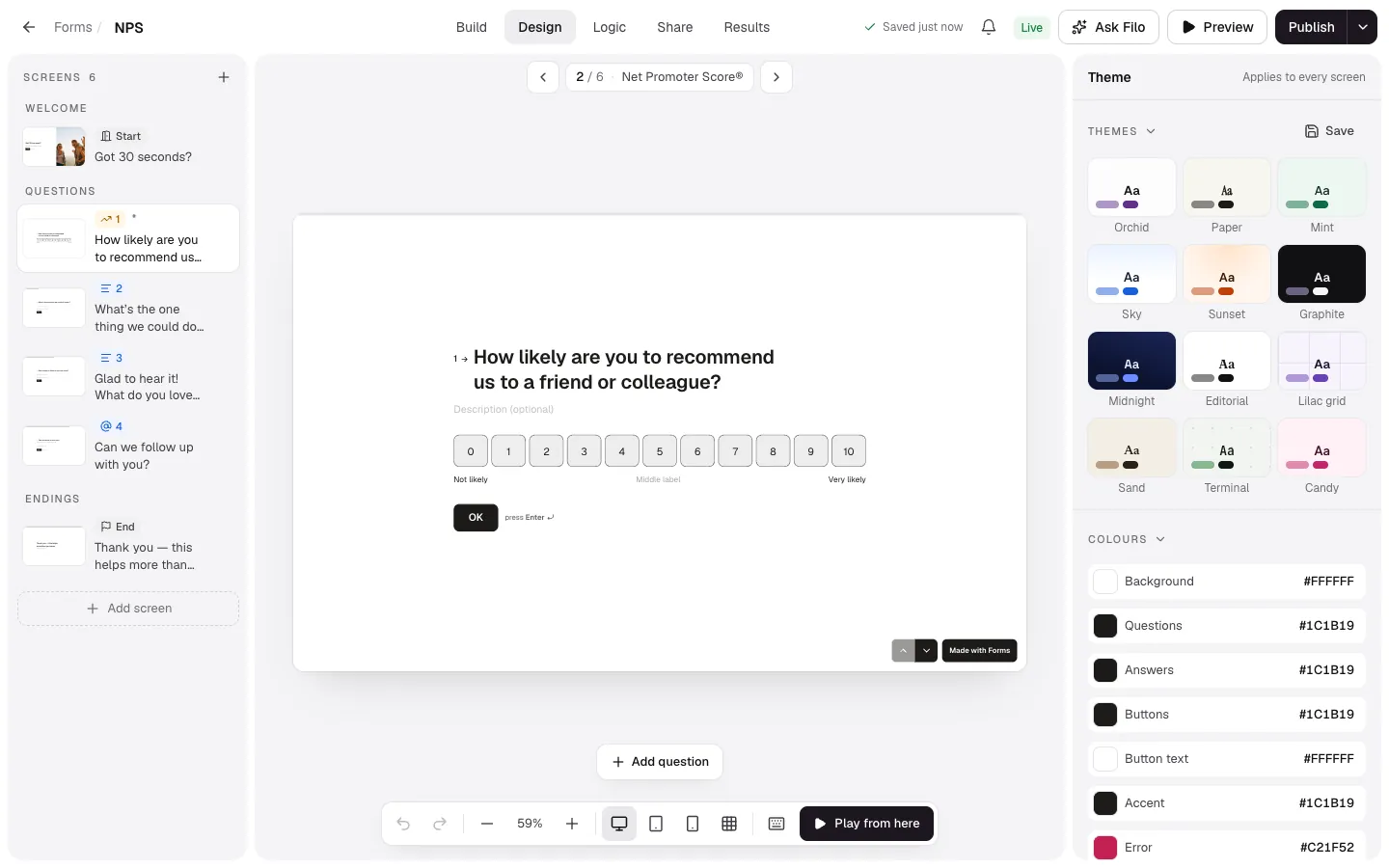
Built-in themes
Themes has 12: Orchid, Paper, Mint, Sky, Sunset, Graphite, Midnight, Editorial, Lilac grid, Sand, Terminal and Candy. Click one to apply it. Your logo, footer text and custom CSS stay as they are.
Save your own
- Adjust colours, fonts, backgrounds and shapes until the form looks like your brand.
- Select Save beside Themes, name it (for example “Brand – light”) and select Save theme.
- It appears after the built-in themes on every form's Design tab.
Manage saved themes in Settings → Saved themes, where you can delete ones you no longer use. Deleting a theme doesn't change forms that use it.