Send responses to a webhook
FormsAI posts each completed response as signed JSON to your URL, with retries and a delivery log.
FormsAI Pro
On this page
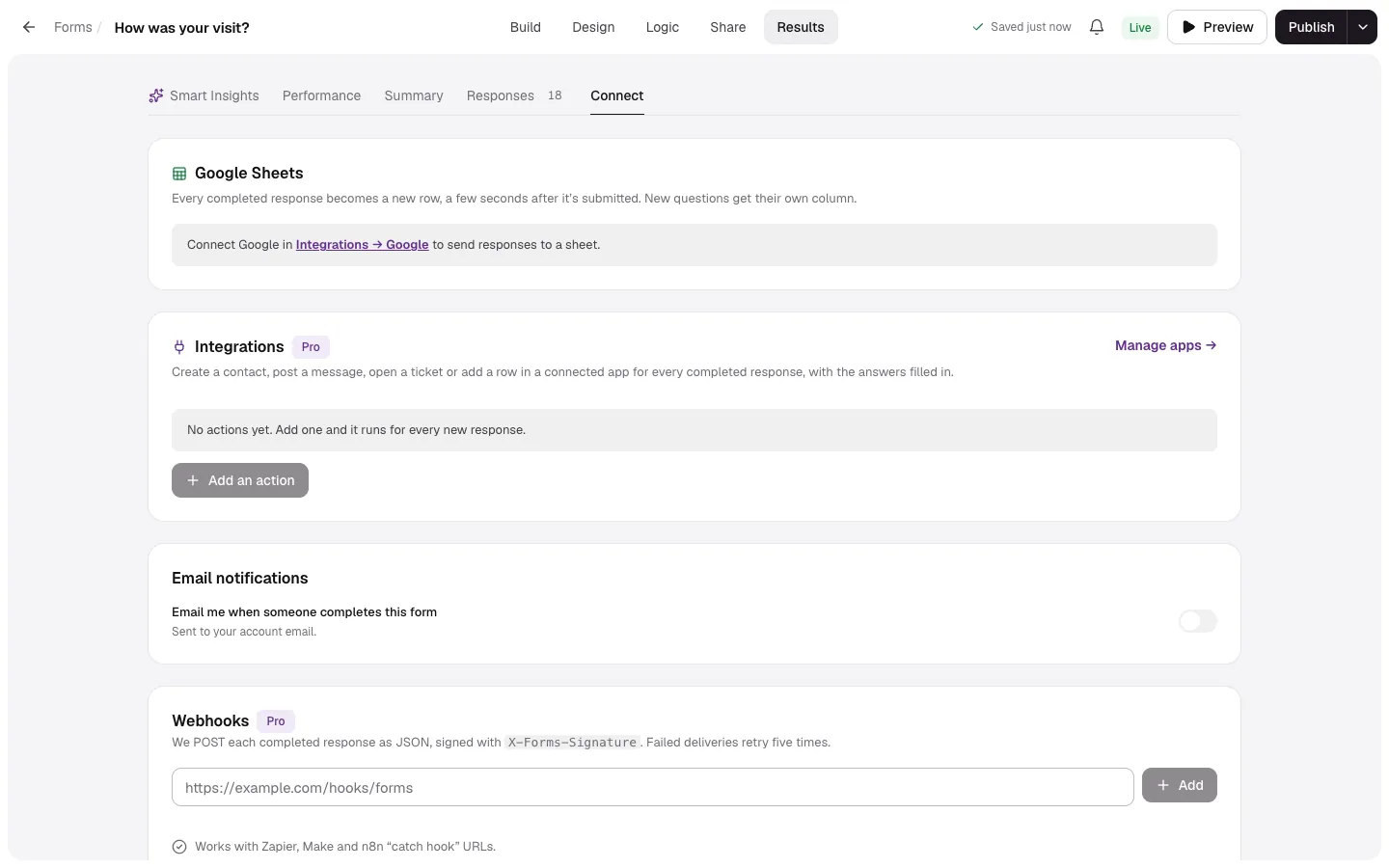
- Open the form's Results → Connect.
- Paste your Webhook URL (it must use
https://) and add it. - Copy the Secret to verify signatures.
- Send a test, then check the Delivery log.
What FormsAI sends
A POST with a JSON body for each completed response (event response.completed), with the answers, score, hidden fields and any Filo follow-ups. The shape is described in the response format. Each request has these headers:
| Header | Value |
|---|---|
content-type | application/json |
user-agent | Forms-Webhooks/1.0 |
x-forms-signature | t=<unix seconds>,v1=<hex HMAC> |
x-forms-delivery | The delivery id, the same on every retry |
Retries and the log
Reply with any 2xx status within 10 seconds. Otherwise FormsAI retries up to 5 times, waiting longer each time (from 30 seconds up to an hour). The Delivery log shows each delivery's status and attempts; Resend sends one again. If a delivery fails for good, you get a notification.
- Enabled pauses or resumes a webhook.
- A form can have up to 10 webhooks.
- Spam and test responses aren't sent.