What guests see when they book you
A month calendar, times in their own zone, a short form, and a confirmation with the meeting link and add-to-calendar.
Every plan
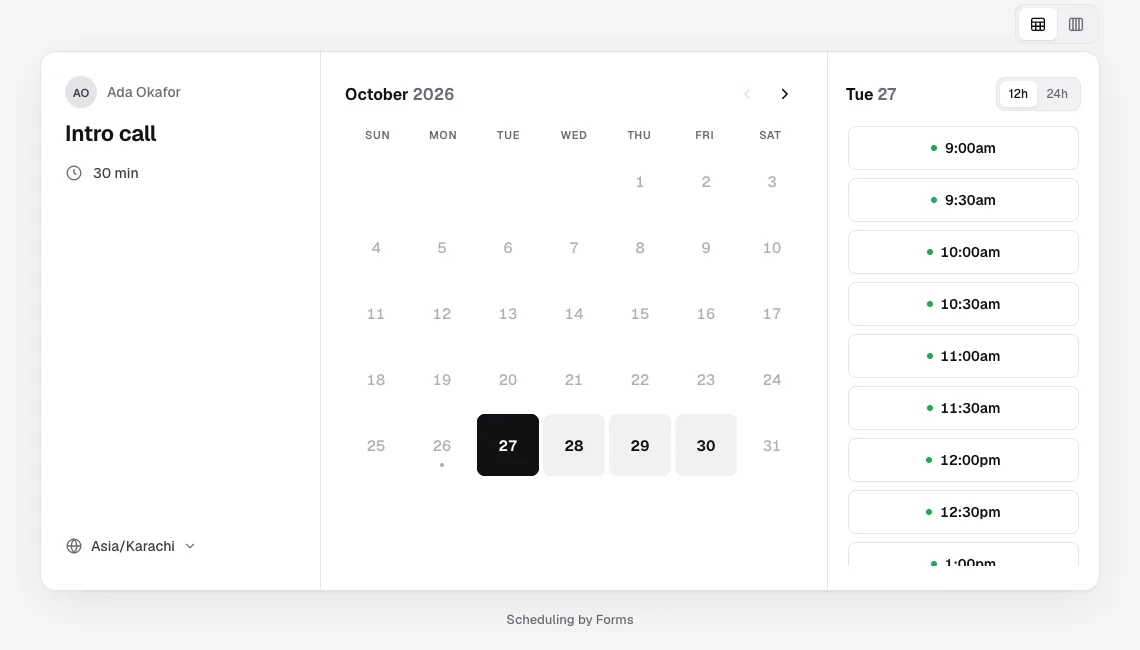
- They open your link and see the meeting, a month calendar (or a week), and the day's times.
- Times are in their own time zone, which they can change with Search time zones, in 12 or 24-hour format.
- They pick a time, then select Next.
- They type Your name, Email address and optional Additional notes, and Confirm.
The page says This meeting is scheduled with what, when, who and where, a Join button for video calls, add-to-calendar links, and Reschedule or cancel. The page follows their device's light or dark setting.
Emails
You and your guest each get an email with the time in your own zone, the join link, Google and Outlook calendar links and an invite file (.ics) that updates if the booking moves or is cancelled. The guest's email carries a private link to reschedule or cancel.
Two people can never book the same time: a time is held the moment someone picks it, and only one booking can take it.