Share a link or QR code
Copy your form's link, send it by email or social apps, or download a QR code for print.
Every plan
On this page
Open the Share tab. Until a form is published it says Publish to get your link; nothing is public before that.
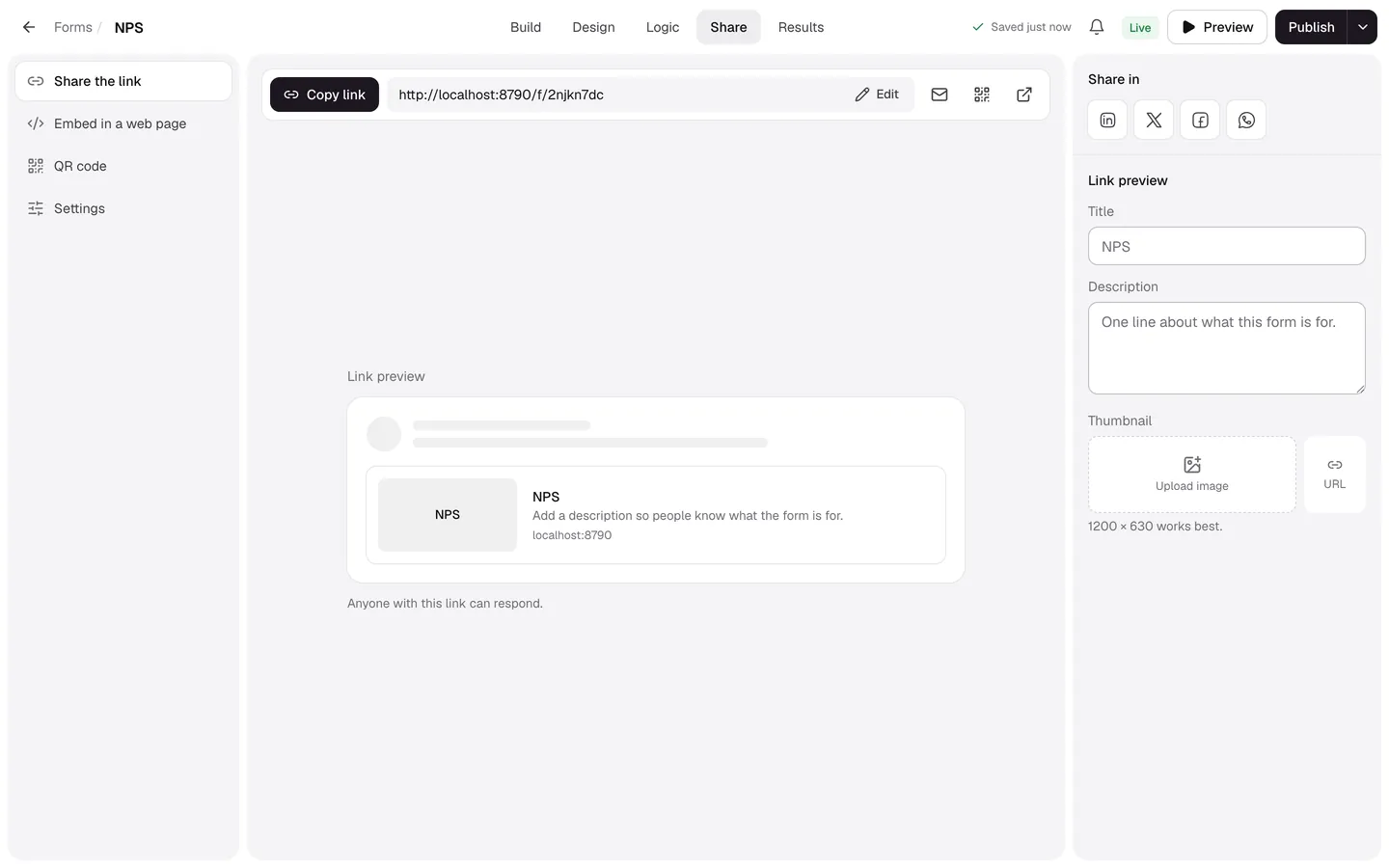
Share the link
- Copy link copies the address, such as
app.formsai.dev/f/customer-feedback. - The envelope opens an email with the link; the arrow opens the live form.
- Share in posts to LinkedIn, X, Facebook or WhatsApp.
- With a custom domain, the form's link on your domain is listed too.
QR code
- In Share, select QR code.
- Under Download, choose PNG (1024 px square) or SVG (scales to any size for print).
The code points at your form's address, so it keeps working when you publish changes. If you change the address, print a new one.